


 Đã sao chép
How to Track Container Location at the Port
Thousands of shipping containers are moved in and out of seaports every day… Therefore, knowing the location of your container and its current stage in the import/export process is crucial for every business. This is why container tracking services were created to help businesses monitor the progress of their goods and ensure timely fulfillment of contracts.
How can you accurately track the location of your container at the port?
Method 1: Search for containers on the website
- Step 1: Access the Saigon Newport website via the link: https://eport.saigonnewport.com.vn/ContainerInformation
- Step 2: Select “Search for container information,” enter the required information: Container handling area, container number (You can search by batch by entering the exact container number and adding a comma after each container number, and search by individual container at the port).
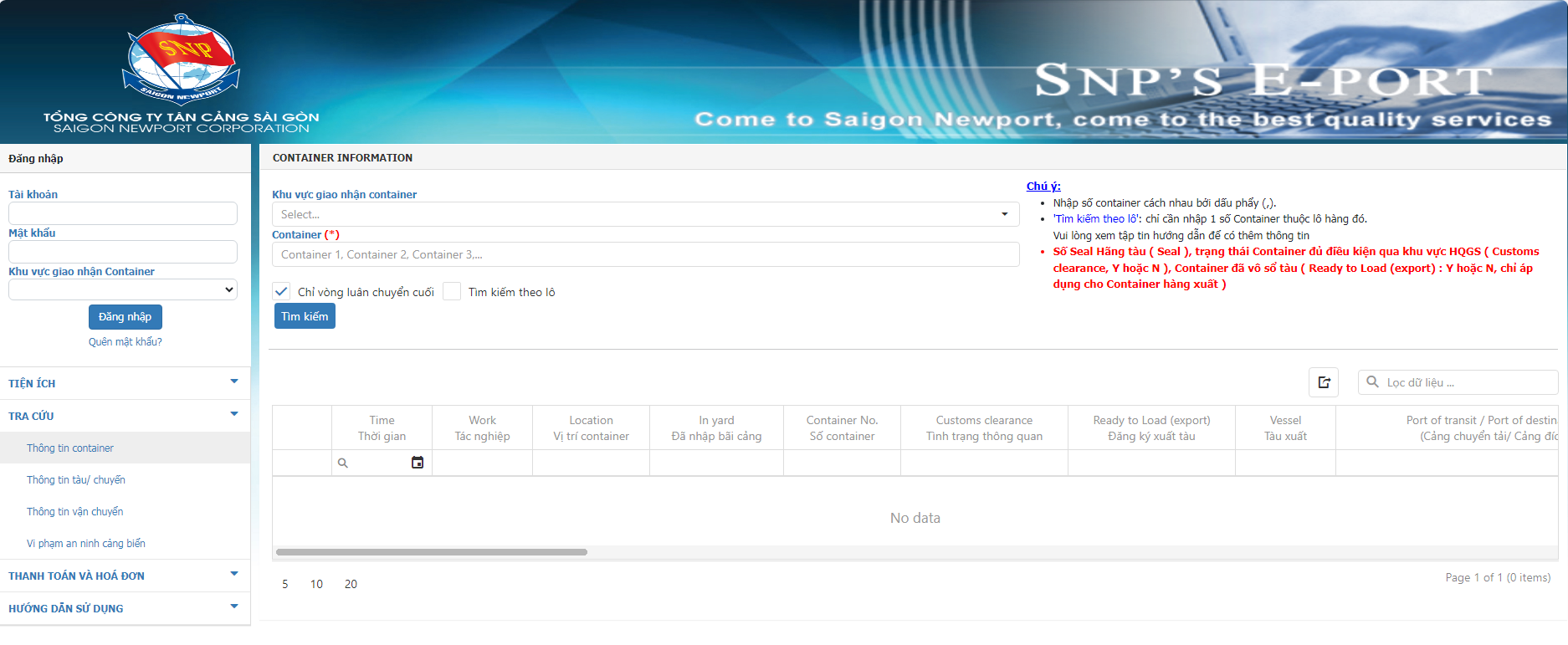
Instructions on how to track the location of containers at the port on the website.
- Step 3: Select “Search and return results.”
There will be two responses from the system:
- If the container has not yet entered the port yard, the system will return the result “Container not found”.
- If the container has been unloaded, the system will notify that the container has been found and provide additional information such as: Container location, container status, vessel information, etc.
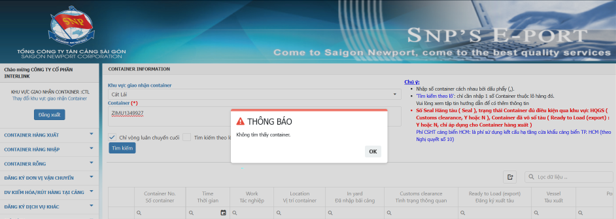
If the container does not have a location in the yard, the system will respond “Container not found”.
Method 2: Look up containers using the ePort application directly on your phone.
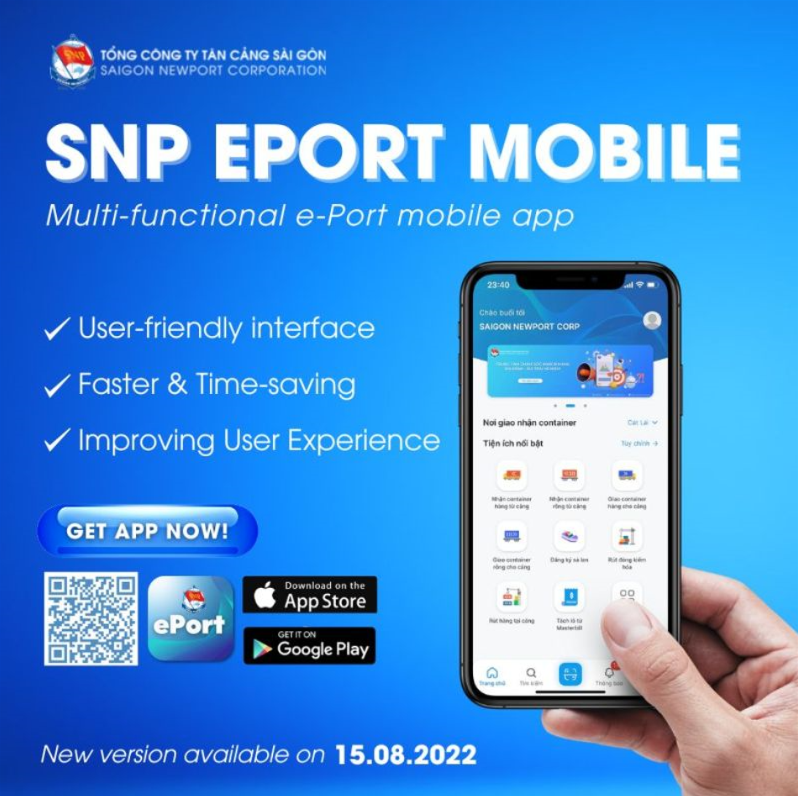
You can look up Cat Lai containers directly on your smartphone through the available application. Download the ePort application (the electronic portal of Tan Cang Saigon Corporation) from the CH Play or App Store.
After downloading the ePort app on your smartphone, access the application by logging in with your company’s account information, and then perform the same steps as searching on the port’s website. Enter all the required information on the app, such as: Container delivery area, Container number, etc.
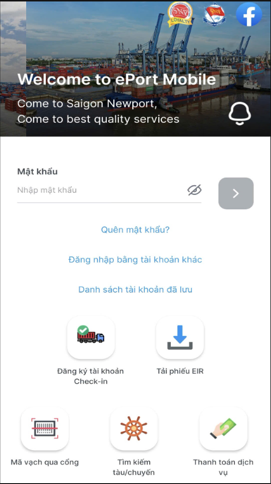
The Cat Lai container tracking interface is available on your smartphone via the built-in application.
After entering the information, select search and return results. The system will then display the container location.
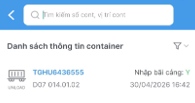
The Cat Lai container tracking results are available on your smartphone via the built-in application.
Method 3: Tracking container location on shipping lines’ websites
In addition to tracking container location at the port, you can also track the container’s location on the shipping lines’ websites. You need to know which shipping line is transporting the container, and then find the correct website to retrieve the information. Specifically:
- Step 1: Access the shipping line’s website
- Step 2: Fill in information such as Booking number, Bill of Lading number, or Container number
- Step 3: Click search and wait for the results.
Purpose of container location lookup at the port:
- Knowing the location of the container, its area within the port, and the estimated time it will be loaded.
- Controlling cargo arrival times and avoiding demurrage costs.
- Proactive planning for potential problems.
- Information about estimated arrival and departure times, container weight, etc.
- Updating importers and exporters on container status to facilitate flexible handling and subsequent steps in the cargo handling process.
Notes when looking up container location at the port:
- Identify the correct port before searching: If you search for the wrong port, the results will show an error or the container may not exist.
- According to regulations, each container number is a sequence of 4 letters and 7 numbers. If you enter the wrong number, the results may be missing or mistaken for a different container.
- If the system reports an error, double-check the container number or the port website to ensure it’s correct;
- If you’ve checked all the information and nothing appears, contact the shipping company or forwarder to check if there’s a problem with your container.
Mr. Ho
RELATED KNOWLEDGE

Common Mistakes In Import And Export To Avoid Delays And Increased Costs
Many import and export businesses experience delays and increased costs due to fundamental errors such as incorrect HS codes, inconsistent documentation, late bookings, or poor logistics control. Standardizing documentation, proactive planning, and effective operational coordination will help reduce risks, optimize costs, and improve supply chain efficiency. After researching, we suggest preventative measures to optimize operational […]
Customs Clearance Channel Classification
In import and export operations, customs clearance is a risk management mechanism aimed at controlling goods, facilitating quick customs clearance procedures while ensuring compliance with the law. The clearance system is divided into three main types: Green, Yellow, and Red. Green Channel Meaning: Goods are cleared immediately without document or physical inspection. Characteristics: Reputable businesses […]
Optimized Automated Customs Declaration Solution for Businesses
In the context of increasingly developing international trade, customs procedures play a crucial role in the success of import and export activities. Preparing documents, declaring, and clearing goods is not only time-consuming but also carries many legal risks if regulations are not followed correctly. Therefore, businesses should consider using professional customs services to optimize the […]

What does a set of customs documents for import and export include?
EXPORT DOCUMENTATION SET To export goods, businesses need to prepare a complete set of documents including mandatory papers such as commercial contracts, commercial invoices, packing lists, bills of lading, customs declarations, and documents related to inspection/certification. Proper and complete preparation ensures smooth customs clearance and avoids the risk of goods being held up or delayed […]
Electronic Customs Declaration – Things You Need to Know
Electronic customs declaration is a modern solution that helps businesses save time and costs and increase transparency in import and export, but it still carries risks of technological dependence, hard-to-detect errors, and the potential for fraud. What is electronic customs declaration? It is the process by which businesses declare goods information through a software system […]

Contact Us
Get Solutions Now
We respond to all requests within 24 hours.
 0937 48 18 98


